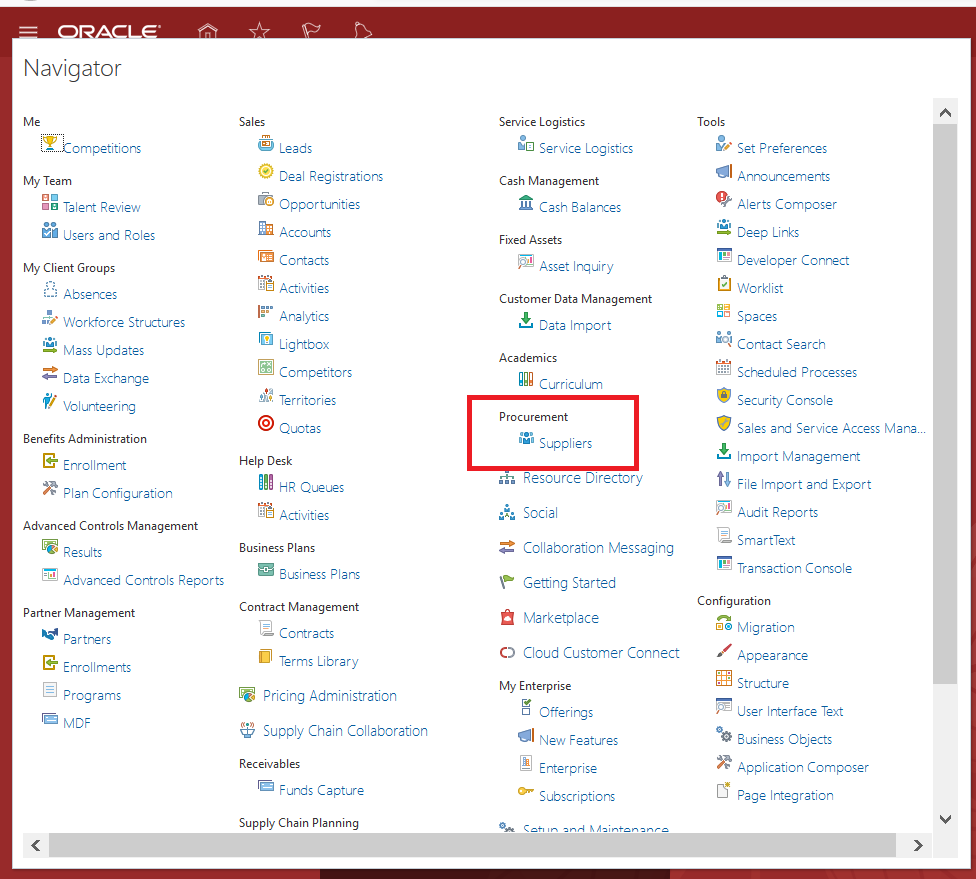
These are some of the basic setups that we need to deal with first when it comes to Payables-to-Cash process. Some of the setups will be common, including enterprise structures, reference data sets. And some of the setups are specific to invoicing and payment process, and some of the setups are specific for reconciliation related requirements.
The required Configurations to use Payables are divided into four categories:
- Common Application Configurations
- Invoicing and Payments Configurations
- Cash Management and Banking
- Suppliers and Supplier Site Configurations
Common Application Configurations
- Common Application Configurations are mostly configurations to be done in the General Ledger. Firstly, you need to establish legal structures such as Enterprise details, Legal Entities, Business Units, Ledgers, etc. Secondly, you need to configure Reference Data Sets (RDS).
- Enterprise Structures basically represents the entities through which you are managing your business. It includes a top entity called the Enterprise and under it you can have Legal Entities, ledgers, business units, inventory organizations, cost of books, etc. This includes Final reporting Structures, which is where the role of ledgers comes into the picture. For more information on Enterprise Structures, check out a separate article, Overview of Enterprise Structures in Oracle Fusion Applications
- Reference Data Sets allows either the sharing of Master Data Objects (i.e. Payment Terms, Set of Books, etc.) across Business Units or makes it exclusive to a specific Business Unit or shared across multiple business units. It basically partitions the Master Data Objects on which Business Units get access to it. For more information on Reference Data Sets, check out a separate article: Overview of Reference Data Sets in Oracle Fusion Application.
Invoicing and Payments Configurations
- To manage invoices and payments within Payables and Payments, you need to manage and maintain setups that are common to the Payables application.
- For example, you will maintain common Payable and Procurement options. They will govern how the transactions are processed within the Payables and Payments application. Common Payment and Procurement Options are also used to default certain attributes directly on the invoices that you will process. Do note that there are certain Payment and Procurement Option attributes than can also be overridden at the supplier level.
- Configurations such as allowing Invoice approvals and accounting for the payment transaction is driven through Invoice Options and Payment Options, respectively.
- Setups required for Payment Processing such as design payment formats, payment systems, payment transmission configurations for electronically transmitting the payment files to your banks for disbursement purposes.
- You may have to configure tax rules based on which the taxes should be calculated automatically.
- You may have to set up Subledger Accounting Rules based on which the accounting entries at the Subledger level for these transactions will be generated. For more information on Subledger Accounting, check out a separate article: Overview of Subledger Accounting in Oracle Fusion Applications
Cash Management and Banking
- The primary role of Cash Management is for bank statement reconciliations and for bank account transfers.
- You need to manage the Bank, Bank's branches and Bank Accounts. To know more about Managing the Bank, Bank's branches and Bank Accounts, check out a separate in-depth article: Creating Banks, Bank Branches and Bank Accounts in Oracle Fusion Applications
- You also need to ensure that you have established a proper mechanism to upload the bank statements electronically. To know more about Cash Management and Bank Statements, check out a separate article: Overview of Cash Management in Oracle Fusion Applications
Once these basic setups have been completed, you need to maintain your supplier and supplier site data.
Supplier and Supplier Sites
Suppliers are used in different applications including Procurement, Payables, and Payments. You will use suppliers in the Procurement application for managing purchase orders as you cannot create a purchase order without a supplier. You need suppliers in the Payables application for processing supplier invoices. You need supplier in the Payments application for disbursing payments against the invoices that were recorded within the Payables application.
Supplier sites are basically used for establishing a relationship between a business unit and other attributes that will govern how the invoices related to those suppliers will be processed. This allows the system to know which business unit is authorized for recording transactions as far as a particular supplier site is concerned. You have have got an option to assign one site to multiple business units if necessary.
Supplier Sites also provide many defaults, controls and policies. Supplier Sites can default accounts combinations related to liability, advances automatically on the invoices. If it is not provided in the Site-Level, then system will retrieve those details straightaway from the common Payable and Procurement options.There is also a mechanism to specify a default withholding tax code, a default distribution set. Supplier Sites also controls whether to put holds on the invoices, default payment term, default terms date basis, etc.
Once all of these are setup and done, you can now proceed to create Payable Transactions in Oracle Fusion Applications.
For more full-detailed Tutorials and Tips, check out #TheOracleProdigy at https://lifeofanoracleprodigy.blogspot.com/
Follow The Oracle Prodigy on Facebook (https://www.facebook.com/theOracleProdigy/) and Twitter (https://twitter.com/D_OracleProdigy)